CRBYNDocs
carbyn.ai

Get started

  • Overview

Setup

  • 1Install with TestFlight
  • 2Your first five minutes
  • 3Connect Meta glasses

Guides

  • Procedures

Help

  • Support & account
  • support@carbyn.ai

Make a procedure from a video

1Pick a video#

Menu › Gallery › Videos. Tap the video.

Tap Make a procedure from this video.

Video not in Carbyn yet? Procedures › + › Extract from video picks it from your phone.
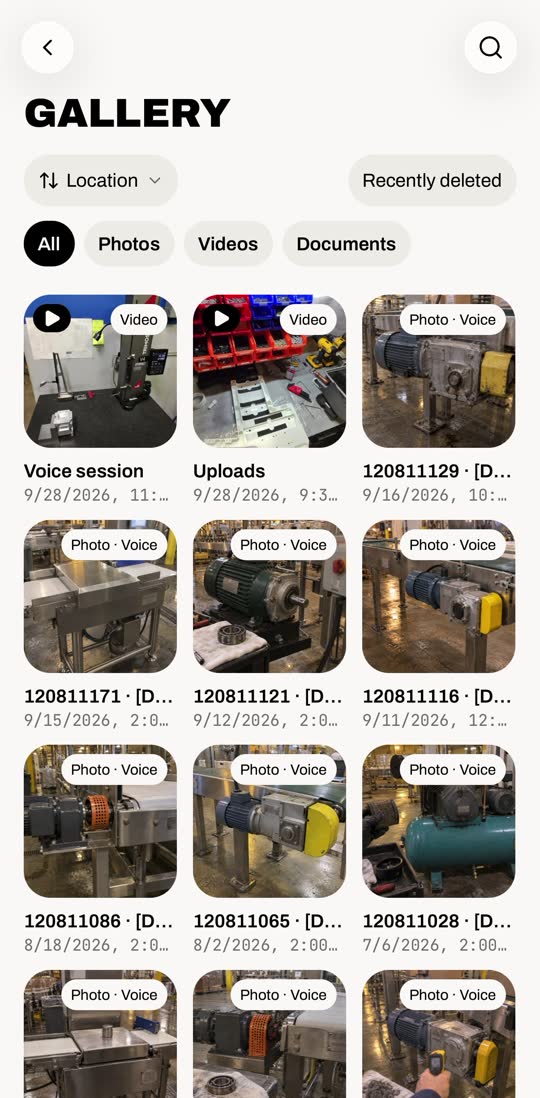
Gallery, Videos tab, opening a video and tapping Make a procedure from this video
Make a procedure from this video

2Let Carbyn write it#

It reads the video, listens, then writes the steps.

This one took about 6 minutes.
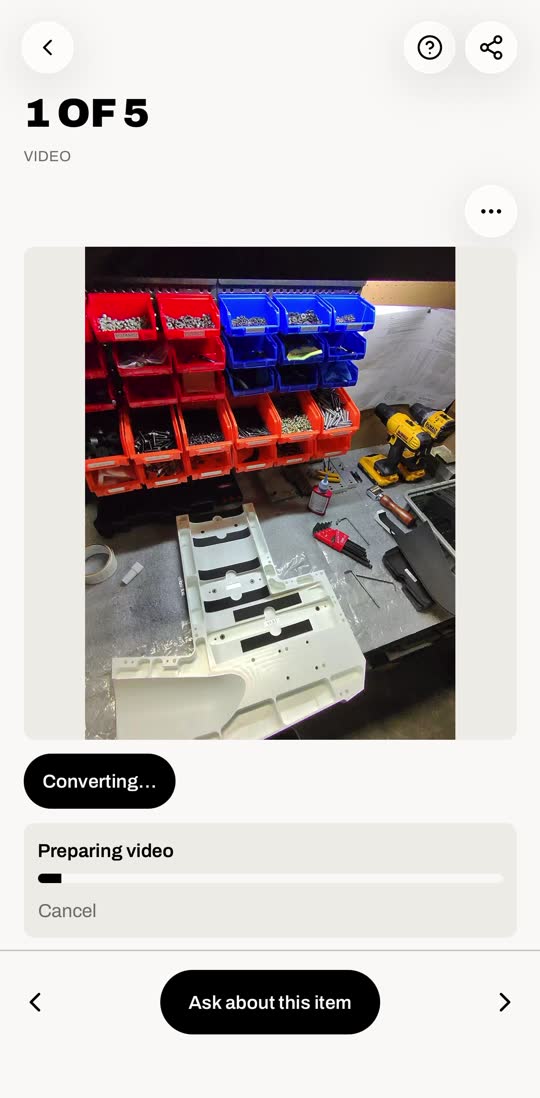
Progress through Preparing, Reading the video, Listening and Writing steps, then the draft procedure appears
About 6 minutes, sped up here

3Check the draft#

Scroll through. Every step has the clip it came from.

It starts as Draft · Not approved yet.
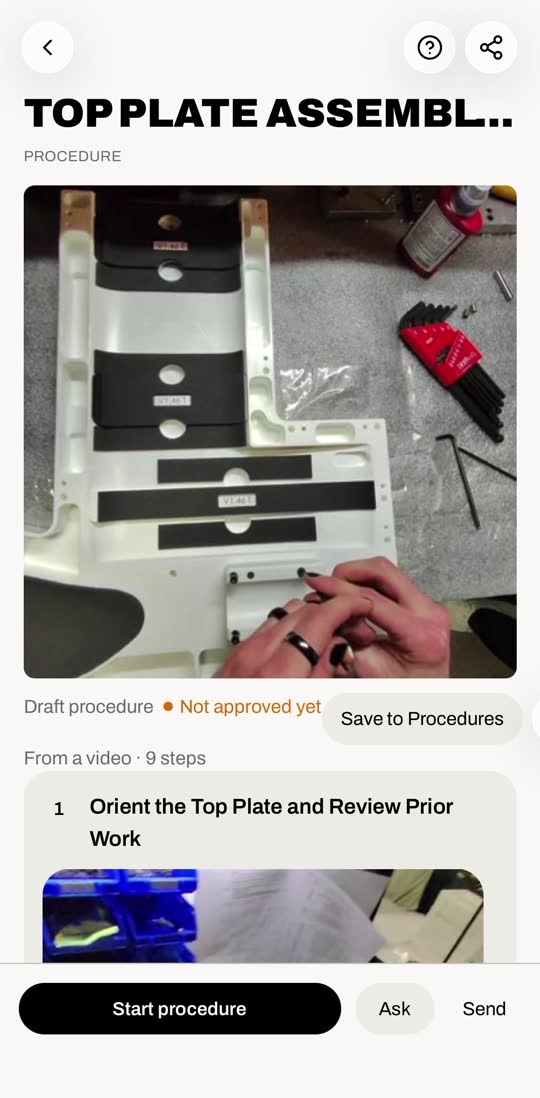
Scrolling a 9-step draft procedure, each step with its own clip
9 steps, each with its clip

4Save it#

Tap Save to Procedures. It turns Approved.
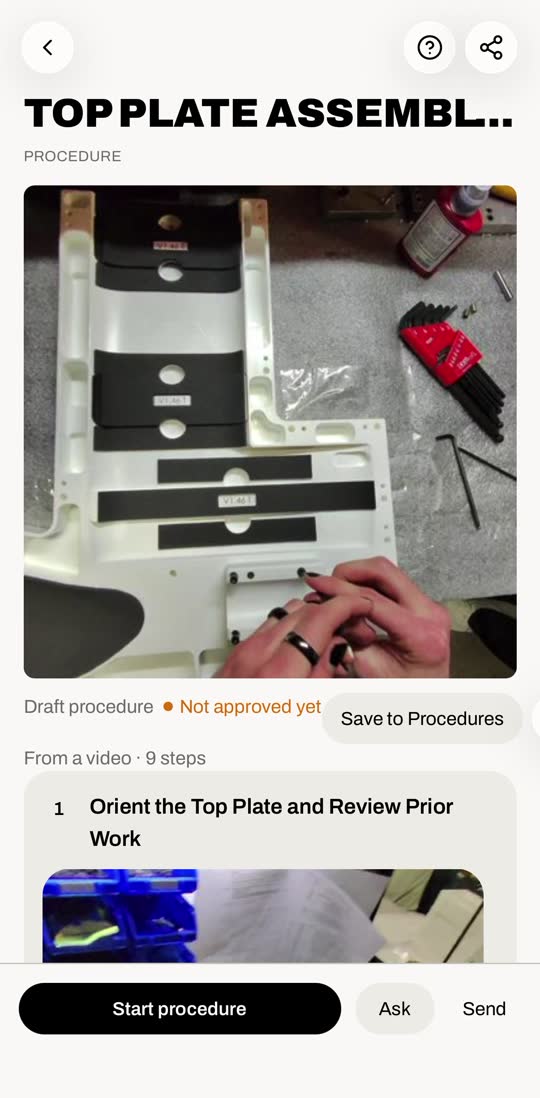
Tapping Save to Procedures; the label changes from Not approved yet to Approved, Saved
Save to Procedures › Approved

5Run it#

Tap Start procedure. Check off each step as you go.

Stay on the screen until you finish. Leaving clears your checks.
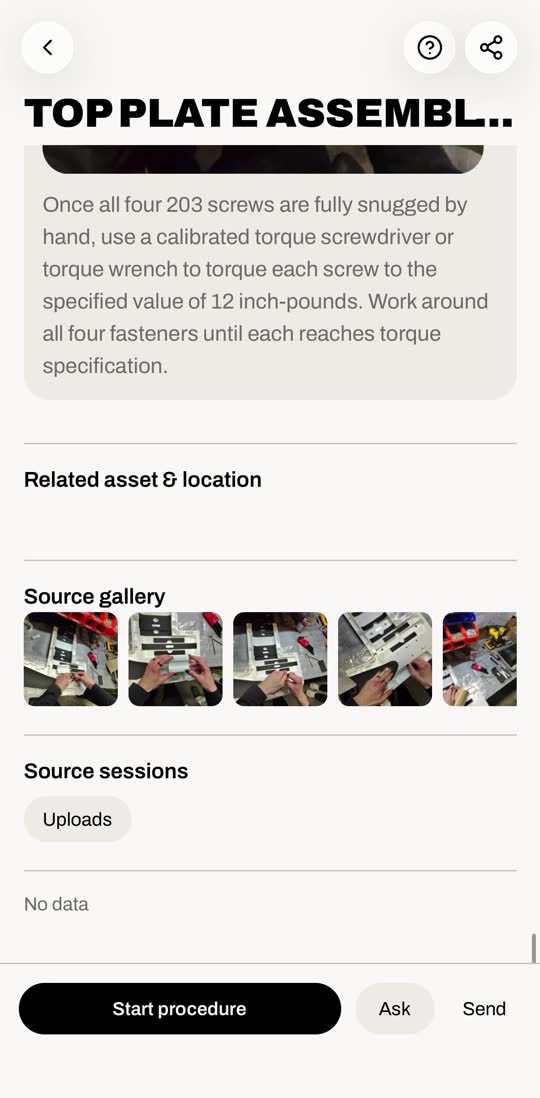
Start procedure, then checking off steps one to three of nine
Check off each step

6Find it later#

Menu › Procedures. It’s in the list.
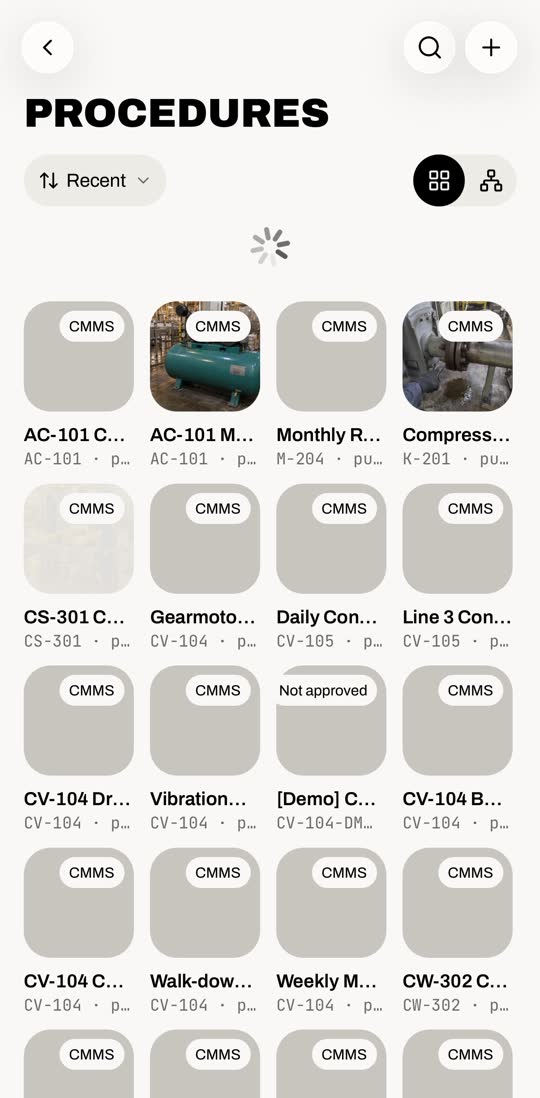
Procedures list, scrolled to the new Top Plate procedure, highlighted
Your new procedure

No video?

Procedures › + › New procedure writes it step by step with the assistant.
Carbyn, AI Inc.TermsPrivacy