Get Carbyn on your iPhone
Carbyn installs through Apple's TestFlight app, not the App Store. Four steps, about five minutes.
- 4
- steps
- ~5 min
- start to finish
- iOS 16+
- required
Check two things
iPhone on iOS 16 or later
Check in Settings › General › About › iOS Version.
Your Carbyn invite
An email from TestFlight, or a beta link from your Carbyn admin.
- 1Get TestFlight
- 2Open invite
- 3Accept and install
- 4Open Carbyn
Download TestFlight
In the App Store, tap Get and confirm with Face ID.
Already have it? Skip to step 2.
Open TestFlight in the App Store
Open your Carbyn invite
Email invite. Open the email from TestFlight, tap View in TestFlight.
Beta link. Got a link by text or Slack? Tap it. It opens the same page in TestFlight.

Accept, then install
- 1. Tap Accept to join the Carbyn beta.
- 2. The button turns into Install. Tap it.
Installed Carbyn before? You will see Update or Open instead. Tap that.


Open Carbyn
Find Carbyn on your Home Screen and tap it. You are in.
The orange dot next to the name means you are on a beta build.
First launch: sign in with the account your Carbyn admin set up for you. No account yet? Ask your admin, or email support@carbyn.ai.

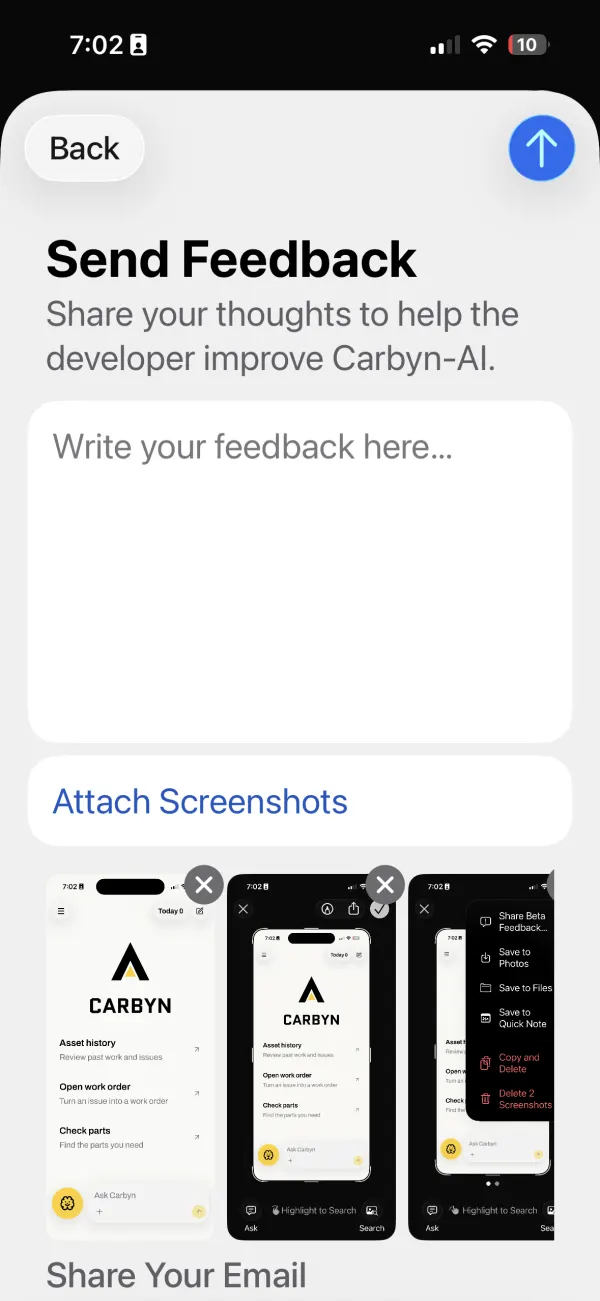
Report a problem in 30 seconds
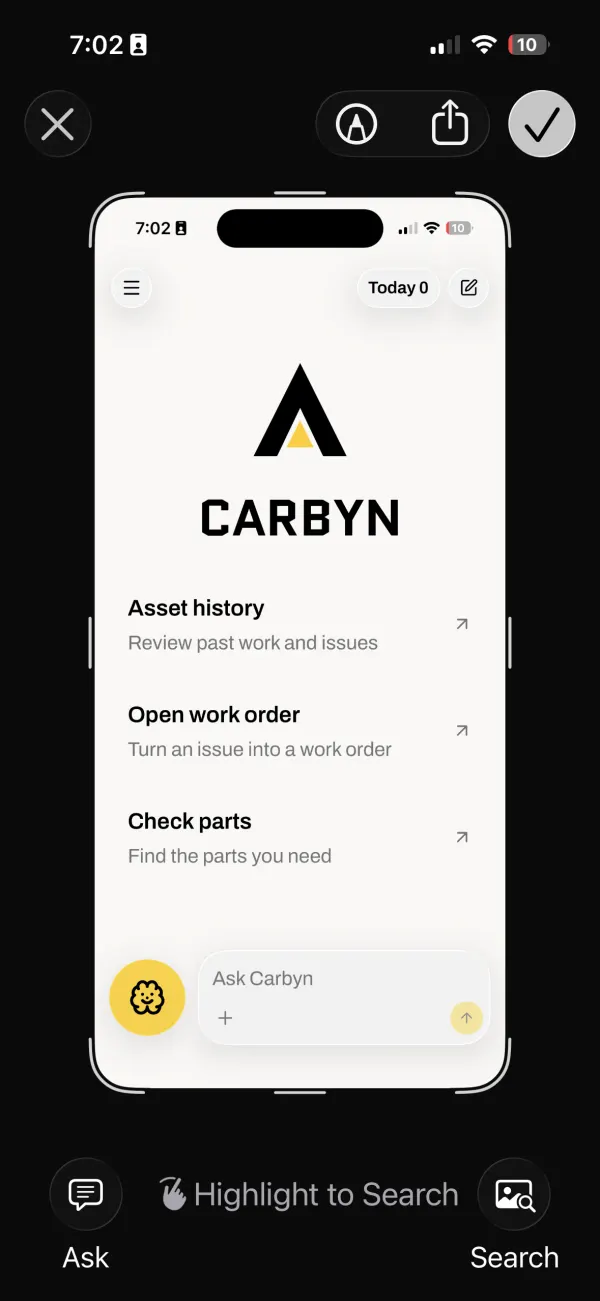
- 1. Take a screenshot: side button + volume up.
- 2. Tap the preview, then tap the check mark.
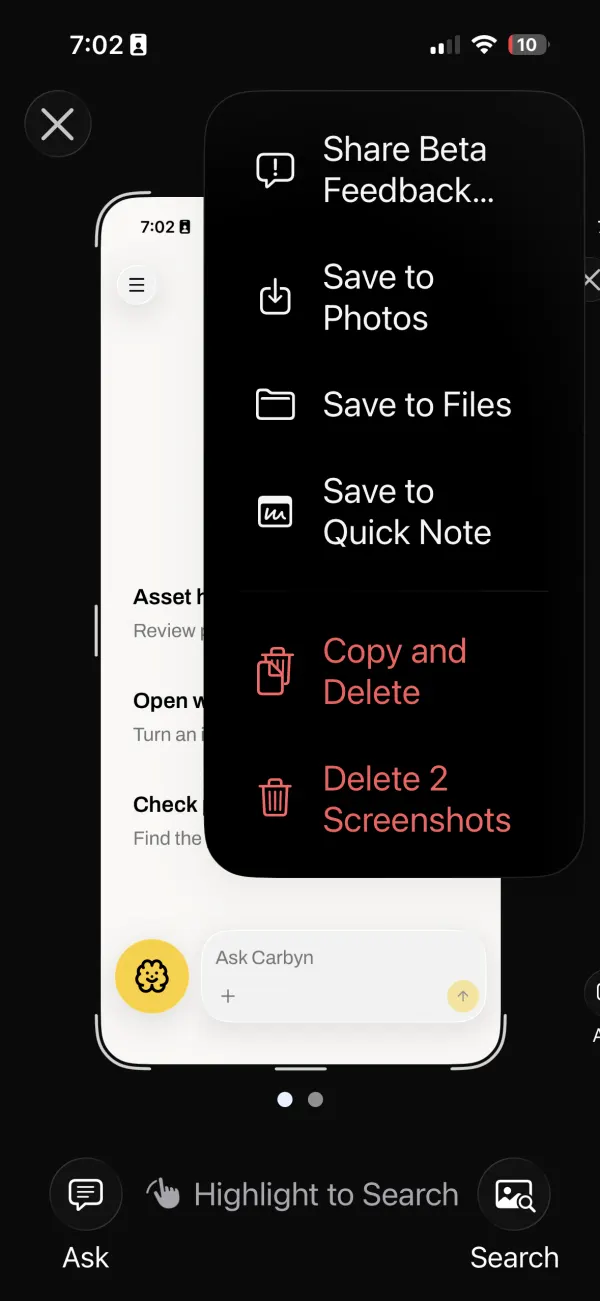
- 3. Tap Share Beta Feedback.
- 4. Write what happened, tap the arrow to send.
Also turn on Automatic Updates in TestFlight › Carbyn, so you always run the newest build.
Quick fixes
- The invite opens a web page
- Install TestFlight first (step 1), then tap the invite again.
- Carbyn will not install
- Update iOS to 16 or later: Settings › General › Software Update.
- No invite email
- Check spam for "TestFlight", or ask your admin for the beta link.
- Carbyn stops opening
- The build expired after 90 days. Open TestFlight and tap Update.
- Carbyn crashed
- On the alert, tap Share, add a note, then Submit.
- You want to leave the beta
- TestFlight › Carbyn › Stop Testing.
Still stuck? Email support@carbyn.ai with your organization name and a screenshot. We answer within 2 business days, usually faster.
Carbyn is on your phone.
Next: pair your Carbyn glasses. Your admin will send part 2 when your hardware ships.
Visit support